How to Add DKIM
DKIM (DomainKeys Identified Mail) is an email authentication mechanism that helps prevent email spoofing and tampering. Adding a DKIM record for your business email improves deliverability and trustworthiness.
Steps
-
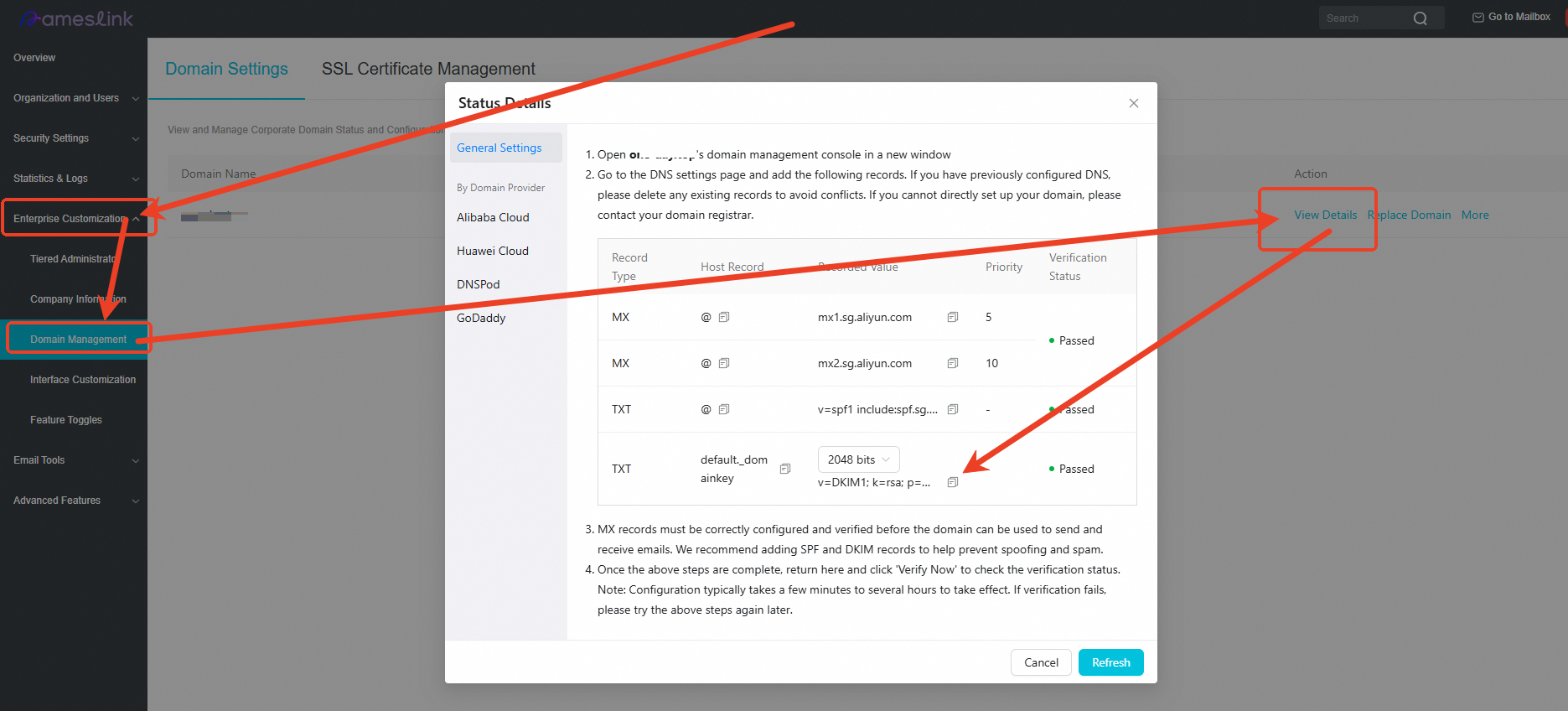
Log in to the business email admin console: https://www.nameslink.com/console/email.
-
Find the domain in the list and click View Details to open the status details page.
-
Locate the TXT record for DKIM and copy the Host Record and Record Value.
The host record is usually
default._domainkey, and the record value starts withv=DKIM1; k=rsa; p=....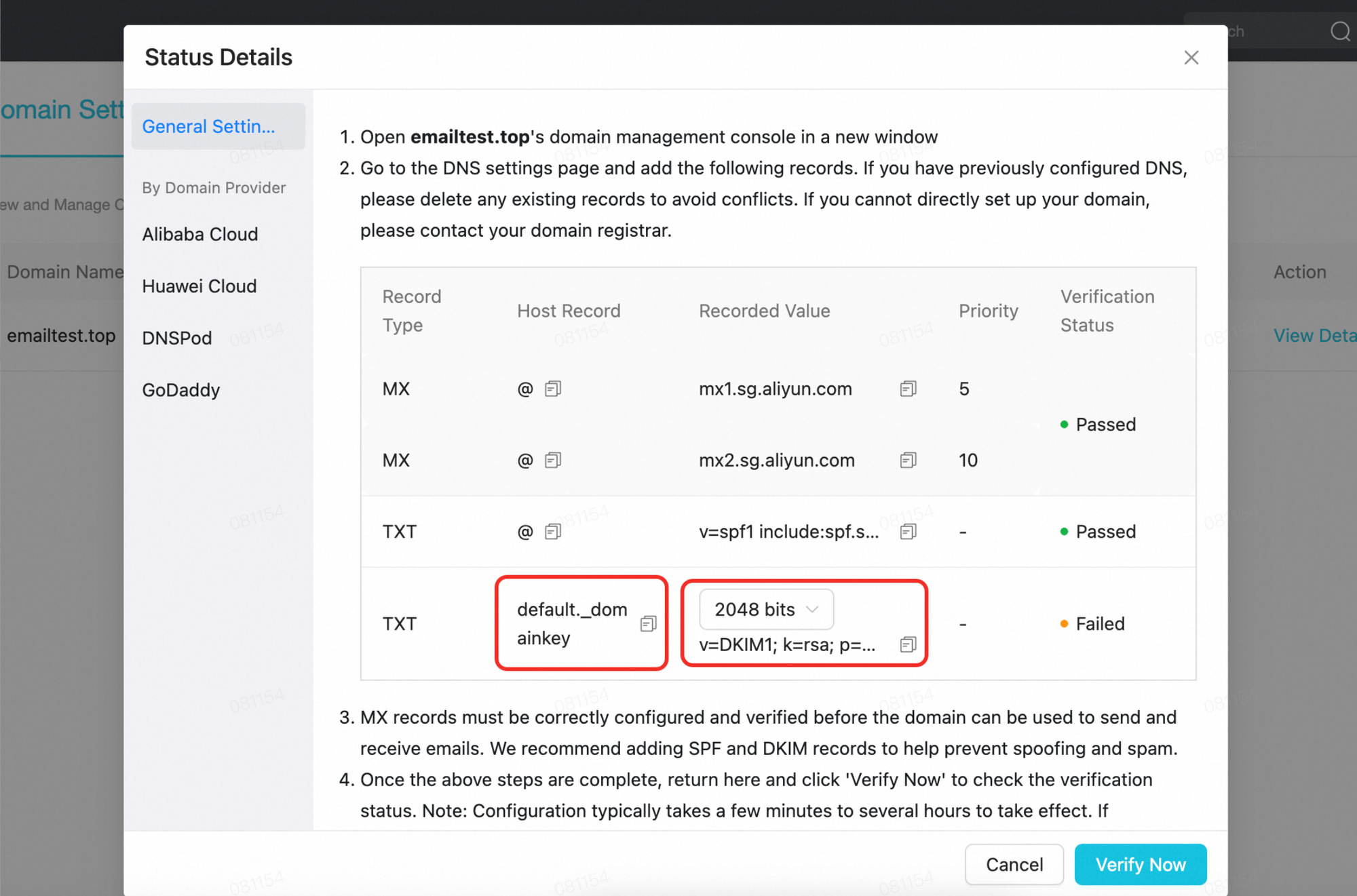
-
Add the copied TXT record to your domain's DNS:
- If your domain uses NamesLink Nameserver, go to the NamesLink console and add the TXT record under Domain Management > DNS Records for the domain.
- If your domain uses a third-party nameserver, add the TXT record at that provider's management page.
-
Return to the email admin console and click Verify Now. Wait for the verification to pass.
DNS propagation may take a few minutes to several hours. Please be patient.