![[AR] Learn what vector logos are, why they're better than PNG, the limitations of AI-generated logos, and how to get a free high-quality SVG vector logo](/images/2026-05-14-how-to-create-vector-logo-free.png)
Your logo is the visual core of your brand. But here’s something many people overlook: the file format of your logo matters just as much as the design itself. If your logo is a PNG file, it becomes blurry when enlarged — a disaster for websites, apps, and print materials.
This article explains what vector logos are, why they’re the better choice, and how to get one for free.
What Is a Vector Logo
Vector graphics use mathematical formulas (points, lines, curves) to describe images, rather than a grid of pixels.
Common vector formats include:
- SVG (Scalable Vector Graphics) — The web standard
- AI (Adobe Illustrator) — Professional design software format
- EPS (Encapsulated PostScript) — Print industry standard
- PDF (partially) — Can contain vector data
The core property of vector logos: No matter how large you scale them (business card → billboard), they never become blurry, pixelated, or distorted.
Why Vector Logos Are Better Than PNG Logos
PNG is a raster format — essentially a fixed grid of pixels. When you enlarge a PNG logo, each pixel gets enlarged, resulting in blur and jagged edges.
| Comparison | Vector Logo (SVG) | Raster Logo (PNG) |
|---|---|---|
| Scaling | Infinitely scalable without quality loss | Becomes blurry when enlarged |
| File size | Usually tiny (a few KB) | High-res versions are large (hundreds of KB to MB) |
| Editability | Colors and shapes easily modified anytime | Hard to edit without source files |
| Web performance | Fast loading, CSS-controllable | Requires multiple size versions |
| Crisp and sharp at any size | Needs 300dpi+ high-resolution versions | |
| Adaptability | One file works everywhere | Different sizes needed for different uses |
Real-world pain points:
- Your website favicon needs 16×16, header logo needs 200px wide, social sharing image needs 1200px — with PNG you need 3 files, with SVG you need just 1
- Want to print your logo on a T-shirt? A PNG logo will almost certainly look blurry at that size
- Need to change logo color for dark mode? SVG can do it with one line of CSS; PNG requires creating a new file
Can AI Generate Vector Logos?
This is a common question: AI image generators (Midjourney, DALL-E, Stable Diffusion) are incredibly powerful — can they generate vector logos directly?
Short answer: Not really.
Limitations of AI-Generated Logos
Output format is raster: Mainstream AI image models (Midjourney, DALL-E 3, Stable Diffusion) all produce pixel images (PNG/JPG), not vector formats
Vector conversion quality is poor: Using tools to “trace” an AI-generated PNG into SVG typically results in:
- Overly complex paths (huge file sizes)
- Edges that aren’t clean or crisp
- Lost details or unnecessary noise
- Color regions that aren’t pure
Logo design doesn’t suit AI image models:
- AI excels at generating photorealistic images and artwork, but logos require clean, geometric, scalable design language
- AI-generated logos tend to be too complex, violating the “less is more” principle of logo design
- Text rendering is a weakness of AI image models, yet logos frequently include text
Non-editable results: Even when converted to SVG, AI-generated logos are very difficult to edit later (changing colors, adjusting proportions) because the path structure is irrational
Is There a Better Solution?
The ideal logo generation tool should be natively vector — meaning the generation process itself works in vector format, rather than generating pixels first and converting afterward.
How to Create a Free High-Quality Vector Logo
We recommend Nameslink Logo Generator — it generates logos directly in vector format, solving all the problems described above.
Steps to Use
- Visit logo.nameslink.com
- Enter your brand name
- Optionally add an icon description (keywords like “tech”, “wave”, “shield” to guide the design style)
- Click generate and browse multiple design options
- Choose your favorite design and download the logo file package
Why We Recommend This Tool
- Native vector output: Generated logos are inherently in SVG vector format, not converted from PNG
- Logo-specific design: Optimized specifically for logo use cases — clean, professional, brand-ready
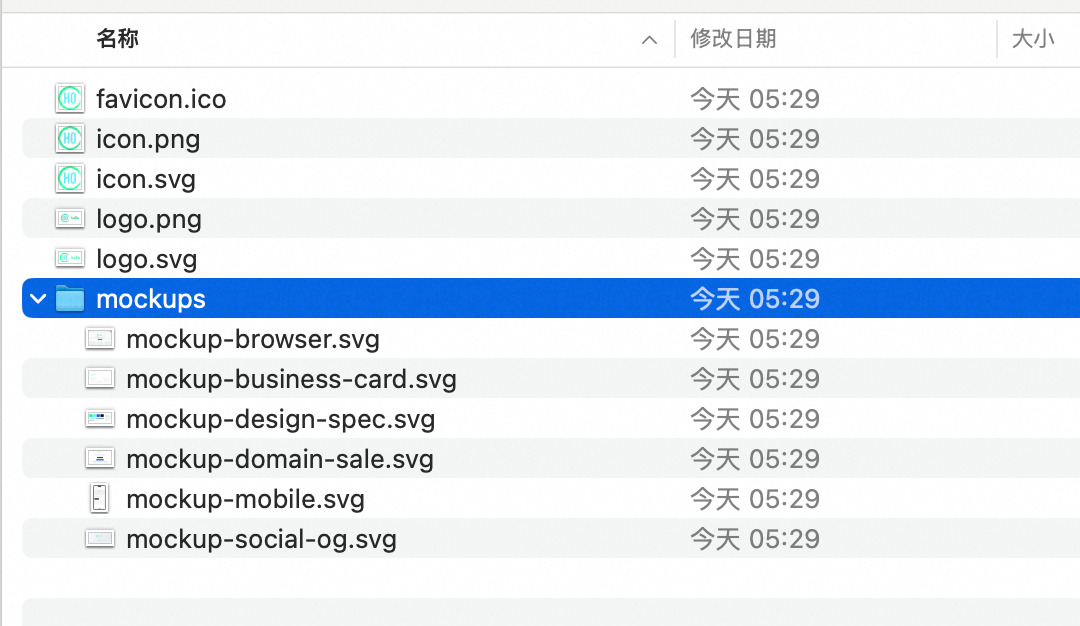
- Complete file package: Download includes SVG, multiple PNG sizes, favicon, and all images needed for website building
- Free to use: No payment, no registration required
- Instantly usable: Ready to deploy on websites, social media, business cards, and all other scenarios
What’s Included in the Download Package
When you select a logo and download, the file package typically includes:
- SVG vector file — The primary file, infinitely scalable without quality loss
- Multiple PNG sizes — For specific size requirements
- Favicon — Browser tab icons (16×16, 32×32, etc.)
- Transparent background version — Usable on any background color
This means after downloading, you have all the logo files needed for website building and brand presentation — no need to hire a designer for additional image processing.
Vector Logo Tools Comparison
There are several vector logo design tools on the market, but the vast majority require payment to download vector formats:
| Tool | Vector Output | Price | Notes |
|---|---|---|---|
| Nameslink Logo Generator | SVG ✅ | Completely Free | Native vector, complete file package |
| Looka | SVG ✅ | $20-65/each | Must pay to download HD and vector versions |
| Brandmark | SVG ✅ | $25-175 | Free preview, download requires payment |
| Hatchful (Shopify) | PNG only ❌ | Free | Only outputs PNG, no vector format |
| Canva | SVG ✅ | Pro $13/month | Free tier can only export PNG |
| LogoMaker | SVG ✅ | $39.99 | One-time payment to download |
| Tailor Brands | SVG ✅ | $10-50/month | Subscription-based |
| Wix Logo Maker | SVG ✅ | $50 | Must purchase logo package |
Bottom line: If you need a free vector logo, Nameslink Logo Generator is currently the only tool offering completely free SVG vector output + a complete file package. Other platforms can generate vector logos too, but all require payment to download (typically starting at $20-$65).
Summary
| Need | Recommended Solution |
|---|---|
| A logo that scales infinitely | Use vector format (SVG) |
| One file that works everywhere | Use a vector logo |
| Free, fast, professional logo | Nameslink Logo Generator |
| Complete image set for website building | Download the logo package (SVG + PNG + Favicon) |
A vector logo isn’t a “premium requirement” — it’s a basic requirement. Whether you’re building a website, establishing a brand, or preparing print materials, starting with a vector-format logo will benefit you in every subsequent use case.
Try it now → Create Your Free Vector Logo