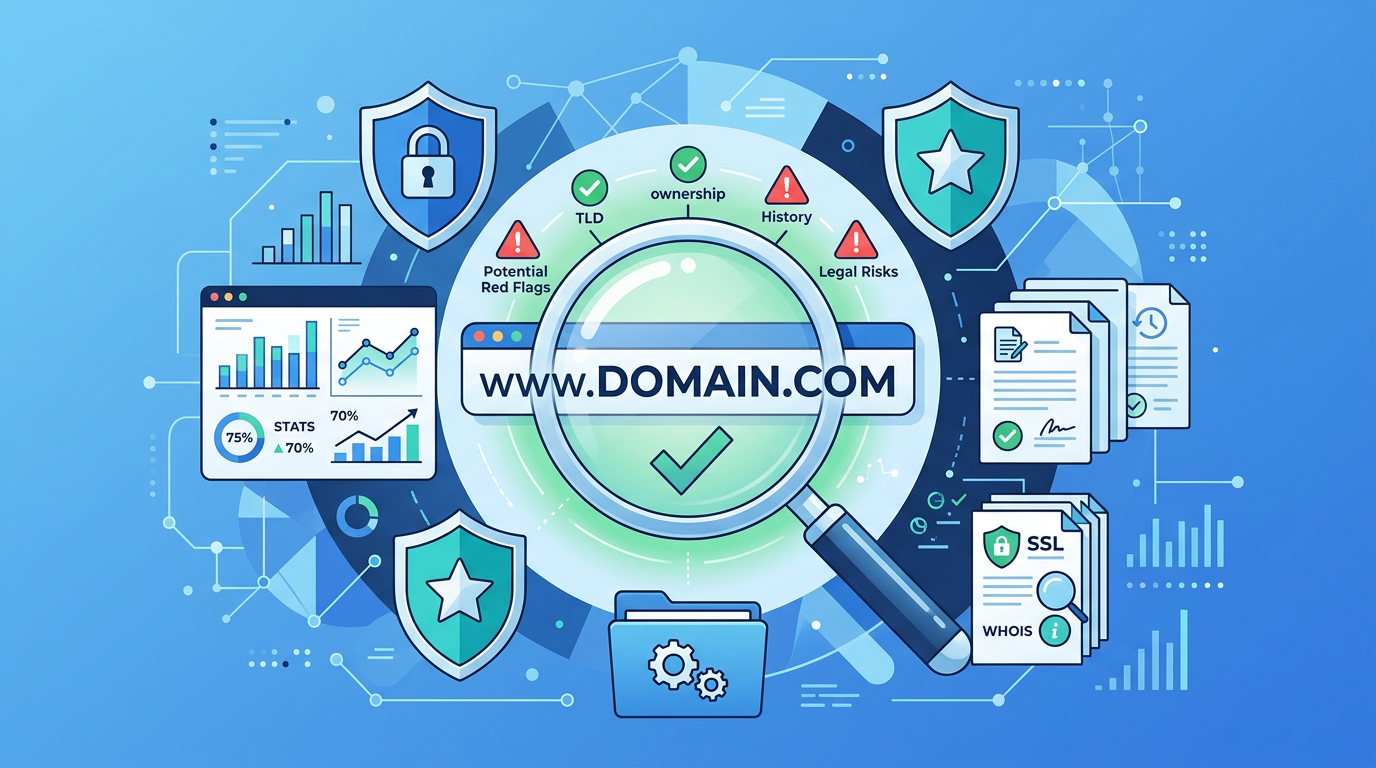
Domain Due Diligence is the systematic investigation of a domain’s ownership history, archived content, link profile, search engine standing, and legal compliance conducted before purchasing a pre-owned or expired domain, with the goal of uncovering hidden risks and determining its true value.
Buying a pre-owned domain is like purchasing a used car — no matter how polished the exterior looks, it may be hiding accident records, mechanical failures, or title disputes under the hood. According to industry data, approximately 15% of expired domains carry search engine penalty records, and over 20% have toxic backlink profiles (source: Moz Domain Authority Research, 2024 data). A domain purchased without proper investigation could, at best, be a wasted investment and, at worst, inherit a Google Manual Action that prevents your new website from ranking for months.
This guide provides a complete 8-step due diligence framework covering everything from WHOIS history to DNS reputation, helping you precisely identify risks and make evidence-based purchasing decisions before closing any deal.
Why Domain Due Diligence Matters More Than Ever
Since 2025, three significant shifts in the domain market have turned due diligence from an optional step into an absolute requirement:
AI-generated spam sites are flooding the market. Since the proliferation of large language models like GPT in 2023, vast numbers of domains have been used to build AI-generated spam content farms. Google’s March 2024 core algorithm update explicitly listed “expired domain abuse” as a target under its Spam Policies (source: Google Search Central - Spam Policies). This means that even after replacing content with legitimate material, such domains may still be flagged as “repurposed spam domains.”
WHOIS privacy services create blind spots. After GDPR implementation, over 85% of domains have enabled WHOIS privacy protection (source: ICANN Registration Data Research), making it significantly harder to trace a domain’s true history. Traditional WHOIS queries may only show proxy registrar information, failing to reveal the domain’s actual usage trajectory.
Google SpamBrain’s historical association capabilities have strengthened. Google’s AI anti-spam system, SpamBrain, doesn’t just evaluate current content — it correlates historical behavior patterns associated with a domain (source: Google Search Status Dashboard). Even after a domain expires and is re-registered, its prior spam link history and malicious activity records can still impact trust scores for new sites built on that domain.
Step 1: WHOIS History Lookup — Tracking Ownership Changes
WHOIS history is the starting point of any due diligence process. It reveals a domain’s registration date, ownership change frequency, and registrar migration records.
Core Tools:
| Tool | Type | Capability | Best For |
|---|---|---|---|
| ICANN Lookup | Free | Current registration info | Quick basic status confirmation |
| WhoisXML API | Paid | 10+ years of historical records | Deep ownership tracing |
| DomainTools | Paid ($99/mo) | Complete DNS event timeline | Professional investors |
| Who.is | Free | Basic historical information | Initial screening |
Key Red Flags:
- Frequent transfers: More than 3 ownership changes within 2 years typically indicates undisclosed problems. Legitimate quality domains average a holding period of 4-7 years.
- Registrar hopping: Rapid moves between multiple registrars in a short period may indicate attempts to evade complaints or hide improper use records.
- Frequent contact changes: Repeated modifications to contact emails and organization names may involve identity fraud or ownership disputes.
Practical Tip: Cross-reference WHOIS history with subsequent steps. For example, does an ownership change at a specific time align with a content shift visible in the Wayback Machine? This correlation analysis often uncovers problems that isolated checks cannot detect.
Step 2: Wayback Machine Content Audit — Reviewing Past Content
The Internet Archive’s Wayback Machine (web.archive.org) stores billions of historical web page snapshots and is the most authoritative tool for examining what content a domain previously hosted.
What to Look For:
- Content type evolution: Did the domain transition from a legitimate business site to a gambling, adult, or pharmaceutical spam site?
- Parking page patterns: Extended periods of “domain for sale” parking pages with link farms embedded in the footer.
- Cloaking indicators: Pages that appear normal but contain hidden keyword-stuffed text or invisible redirects.
- Sudden content changes: Abrupt shifts from one niche to a completely unrelated topic, especially to high-risk verticals (pharma, gambling, payday loans).
Audit Methodology:
- Enter the domain at web.archive.org
- Review snapshots at 6-12 month intervals across the entire available timeline
- Pay special attention to transition periods between owners (identified from WHOIS data in Step 1)
- Document any snapshots showing suspicious content for later risk scoring
Red Flag Timeline Example:
2015-2019: Legitimate e-commerce store (LOW RISK)
2020-2021: Domain parked with PPC ads (MEDIUM RISK)
2022-2023: Chinese gambling redirect page (HIGH RISK)
2024: Domain expired and dropped
Even a single period of malicious use can leave lasting damage in search engine records. A domain with the timeline above would require careful evaluation of Steps 3-5 before proceeding.
Step 3: Backlink & Spam Score Analysis — Tool Comparisons
The backlink profile is often the most quantifiable indicator of a domain’s health. Toxic backlinks from spam networks can suppress rankings for years, even after the offending links are disavowed.
Tool Comparison:
| Tool | Spam Metric | Database Size | Free Tier | Price (Paid) | Best For |
|---|---|---|---|---|---|
| Moz | Spam Score (0-100%) | 44T links | 10 queries/mo | $99/mo | Quick risk assessment |
| Ahrefs | Domain Rating + Toxic Links | 35T links | Webmaster Tools (limited) | $99/mo | Comprehensive link profile |
| SEMrush | Toxicity Score (0-100) | 43T links | 10 queries/mo | $129/mo | Competitive intelligence |
| Majestic | Trust Flow / Citation Flow | 2.4T URLs | Limited profile view | $49/mo | Trust vs. spam ratio |
Critical Metrics to Evaluate:
- Moz Spam Score > 30%: Warrants deeper investigation. Above 60% is a serious red flag.
- Ahrefs Referring Domains: Check if the majority come from low-DR (Domain Rating < 10) sites or known link farms.
- Majestic Trust Flow / Citation Flow Ratio: A healthy domain shows TF/CF > 0.5. Ratios below 0.2 suggest manipulative link building.
- Anchor Text Distribution: Over 50% exact-match commercial anchors (e.g., “buy cheap viagra”) is a near-certain indicator of past spam activity.
Action Items:
- Run the domain through at least two different tools to cross-validate findings
- Export the full backlink list and manually review the top 50 referring domains
- Check for link velocity anomalies — sudden spikes of thousands of links in a single month indicate paid link schemes
- Assess whether a disavow file could realistically clean the profile (if more than 40% of links are toxic, cleaning may not be practical)
Step 4: Search Engine Penalty Check — Manual Actions & Indexing
Search engine penalties can be either algorithmic (automatically applied by SpamBrain) or manual (reviewed and applied by Google’s webspam team). Both can devastate a domain’s ability to rank.
Detection Methods:
Method 1: The site: Operator
Enter site:example.com in Google Search. Key indicators:
- Zero results: The domain may be de-indexed entirely (severe penalty or noindex)
- Drastically fewer results than expected: Partial de-indexing suggests algorithmic suppression
- Results showing unrelated/spammy titles: Indicates the domain was recently used for spam
Method 2: Google Search Console (If Accessible)
If the seller can provide Search Console access:
- Check Security & Manual Actions > Manual Actions for any active penalties
- Review Coverage reports for indexing issues
- Examine Links data for known spam patterns
Method 3: Brand Name Search
Search for the domain name (without TLD) as a keyword. If the domain itself doesn’t appear in the top 10 results for its own name, it likely suffers from a suppression penalty.
Method 4: Cached Page Analysis
Check Google’s cached version of pages. If no cached version exists for a domain that was previously active, this suggests recent de-indexing.
Important Note: Algorithmic penalties leave no visible trace in Search Console. The only reliable indicators are poor ranking performance and reduced indexing — which is why cross-referencing with Steps 1-3 is essential.
Step 5: Blacklist & Security Detection — Protecting Your Reputation
Domains previously used for malware distribution, phishing, or spam operations may be listed on security blacklists. Launching a legitimate business on a blacklisted domain can result in emails being blocked, browsers displaying warnings, and immediate loss of visitor trust.
Essential Blacklist Checking Tools:
| Tool | What It Checks | Free? | URL |
|---|---|---|---|
| Google Safe Browsing | Malware, phishing, unwanted software | Yes | transparencyreport.google.com |
| Spamhaus | Email spam, botnets, malware | Yes | spamhaus.org/lookup |
| VirusTotal | 70+ antivirus engines + URL scanners | Yes | virustotal.com |
| MXToolbox | Email blacklists (100+ lists) | Yes (limited) | mxtoolbox.com/blacklists |
| Sucuri SiteCheck | Malware, blacklist status, errors | Yes | sitecheck.sucuri.net |
Checking Process:
- Google Safe Browsing: Enter the URL in the Transparency Report. Any “dangerous” or “potentially harmful” status is an immediate deal-breaker.
- VirusTotal: Submit the domain. If more than 2 engines flag it, investigate further. Any critical flags from major engines (Kaspersky, Norton, Bitdefender) are serious concerns.
- Spamhaus: Check all databases (SBL, XBL, PBL, DBL). Listing on the DBL (Domain Block List) directly affects email deliverability.
- MXToolbox Full Blacklist Check: Tests against 100+ blacklists simultaneously. Even listings on minor blacklists indicate the domain has been used for spam.
Recovery Considerations: While individual blacklist entries can often be removed through delisting requests, the process takes 2-12 weeks per blacklist, and some services maintain permanent historical records. Factor cleanup time and uncertainty into your purchasing decision.
Step 6: Trademark Conflict Check — Avoiding Legal Liability
Trademark conflicts represent one of the most expensive risks in domain acquisition. A domain that infringes on an existing trademark can be seized through UDRP proceedings, leaving the buyer with zero compensation and lost investment.
Key Resources:
| Database | Coverage | URL |
|---|---|---|
| USPTO TESS | United States trademarks | tess2.uspto.gov |
| WIPO Global Brand Database | 70+ jurisdictions worldwide | branddb.wipo.int |
| EUIPO eSearch Plus | European Union trademarks | euipo.europa.eu |
| UDRP Case Search (WIPO) | Past domain dispute outcomes | wipo.int/amc/en/domains |
Due Diligence Steps:
- Exact-match search: Search the domain name (without extension) as a trademark in all relevant jurisdictions.
- Phonetic and visual similarity: Check for trademarks that sound similar or look similar when written — these can also support UDRP claims.
- Industry overlap: A domain matching a trademark in an unrelated industry carries less risk than one in the same sector. However, famous marks (Nike, Apple, Google) receive protection across all categories.
- UDRP history check: Search the WIPO case database for any previous disputes involving this domain. A domain that has survived a UDRP challenge may actually be safer than one that has never been tested.
Risk Assessment:
- No trademark match found: Low risk (proceed with normal due diligence)
- Trademark exists in unrelated industry: Medium risk (consult IP attorney)
- Trademark exists in same/related industry: High risk (likely not worth pursuing)
- Previous UDRP filed against domain: Evaluate the outcome — if the domain was transferred to the complainant and then dropped, extra caution is needed
According to WIPO statistics, over 6,000 UDRP cases are filed annually, with complainants succeeding in approximately 88% of cases (source: WIPO Arbitration and Mediation Center). The odds strongly favor trademark owners.
Step 7: DNS & Email Reputation — Hidden Infrastructure Signals
A domain’s DNS history and email sending reputation reveal usage patterns that other checks may miss. These technical signals can indicate whether a domain was part of a spam network, botnet infrastructure, or phishing operation.
DNS History Tools:
| Tool | Capability | Type |
|---|---|---|
| SecurityTrails | Complete DNS history, subdomains, associated IPs | Freemium (50 queries/mo free) |
| PassiveTotal (RiskIQ) | Passive DNS, WHOIS correlation, host pairs | Paid (enterprise) |
| DNSdumpster | DNS recon, subdomain mapping | Free |
| ViewDNS.info | IP history, reverse DNS, port scanning | Free |
What DNS History Reveals:
- IP address associations: If the domain previously resolved to IP addresses known for hosting spam or malware (check against Spamhaus IP lists), it may carry inherited bad reputation.
- Excessive subdomains: Hundreds of subdomains (a1.example.com, a2.example.com, etc.) often indicate use in a spam or phishing operation.
- MX record patterns: MX records pointing to known bulk-mailing infrastructure suggest email spam history.
- Nameserver associations: Nameservers shared with known spam domains can indicate network-level reputation problems.
Email Deliverability Check:
If you plan to use the domain for email, test its sending reputation:
- Check if the domain appears on email-specific blacklists (SORBS, Barracuda, SpamCop)
- Review historical SPF, DKIM, and DMARC records via SecurityTrails
- Test with mail-tester.com after configuring basic DNS (if you have temporary control)
- A domain with severely damaged email reputation may require 3-6 months of warm-up before achieving reliable inbox placement
Pro Tip: Domains that previously had proper SPF/DKIM/DMARC records configured are generally lower risk, as legitimate operations typically invest in email authentication setup.
Step 8: Comprehensive Assessment & Decision Framework
After completing Steps 1-7, you need a structured framework to synthesize your findings into an actionable decision. The following quantitative risk scoring matrix eliminates emotional bias and provides a clear go/no-go signal.
Risk Scoring Matrix
Score each item on a 0-2 scale:
| Check Item | 0 Points (Low Risk) | 1 Point (Medium Risk) | 2 Points (High Risk) |
|---|---|---|---|
| WHOIS History | Stable ownership 3+ years | 2-3 owners in 5 years | 4+ owners or frequent registrar changes |
| Wayback Content | Clean business/personal site | Parked pages with some ads | Gambling, pharma, adult, or malware content |
| Backlink Profile | Spam Score < 15%, healthy anchors | Spam Score 15-40%, some toxic links | Spam Score > 40%, predominantly toxic links |
| Search Engine Status | Fully indexed, ranks for brand | Partial indexing, reduced visibility | De-indexed, zero results for site: query |
| Blacklist Status | Clean across all databases | 1-2 minor blacklist entries | Google Safe Browsing flag or 3+ blacklists |
| Trademark Conflict | No matching trademarks found | Trademark in unrelated industry | Trademark in same industry or UDRP history |
| DNS Reputation | Clean IP history, proper email auth | Some suspicious DNS patterns | Spam IPs, excessive subdomains, spam MX |
| Overall Link Quality | Natural profile, diverse sources | Mixed quality, some cleanup needed | Predominantly paid/PBN links |
Decision Rules
| Total Score | Risk Level | Recommendation |
|---|---|---|
| 0-3 | Low Risk | Safe to purchase. Proceed with standard transfer procedures. |
| 4-7 | Medium Risk | Purchase with caution. Budget for cleanup time (1-3 months) and potentially reduced initial SEO value. Negotiate a lower price. |
| 8-11 | High Risk | Generally not recommended. Only consider if the domain has exceptional brand value that justifies 6+ months of remediation work. |
| 12-16 | Critical Risk | Do not purchase. The cost of remediation will almost certainly exceed the domain’s value. Consider alternative domains instead. |
Leveraging AI-Powered Appraisal for Holistic Assessment
Beyond manual checks, modern AI-powered tools can provide quantitative domain assessments that complement your due diligence findings. Nameslink’s Domain Appraisal Tool evaluates domains across 22 distinct metrics — including brandability, linguistic quality, market comparables, extension value, and character composition — generating a comprehensive valuation that helps you determine whether the asking price aligns with the domain’s objective worth after accounting for any risks you’ve identified.
This type of multi-dimensional appraisal is particularly valuable when negotiating price reductions based on due diligence findings. If your investigation reveals medium-risk factors, an objective appraisal provides leverage for requesting a discount proportional to the cleanup investment required.
Finding Quality Pre-Owned Domains
Rather than taking chances on random expired domains with unknown histories, consider sourcing from curated platforms that pre-screen inventory. Nameslink’s Expired Domain Auctions feature quality domains that have been through basic vetting, reducing (though not eliminating) the likelihood of acquiring a domain with critical hidden issues. You should still apply this 8-step framework to any domain you consider purchasing, regardless of the source.
When to Walk Away and Register Fresh
If your due diligence reveals a score of 8 or higher, it is often more practical to register a fresh domain rather than invest in remediation. A new domain with zero history starts with a clean slate in the eyes of search engines. Use Nameslink’s Domain Availability Checker to search across 1,500+ extensions and find a clean alternative that matches your brand requirements without inheriting any legacy issues.
Frequently Asked Questions
How long does a complete domain due diligence process take?
A thorough due diligence process typically takes 2-4 hours for a single domain using free tools, or 30-60 minutes with paid tool subscriptions. The time investment depends largely on the domain’s history length and complexity. A domain registered 2 years ago requires far less investigation than one with 15+ years of history and multiple owners. For high-value purchases (over $5,000), consider allocating a full day and potentially consulting with an SEO professional or intellectual property attorney to validate your findings.
Can a domain recover from a Google Manual Action penalty?
Yes, but recovery typically takes 3-6 months of active effort with no guarantee of restoring previous ranking levels. The process involves filing a reconsideration request through Google Search Console after removing or disavowing all violating content and links. According to Google’s own documentation, reconsideration requests are reviewed within 2-4 weeks, but algorithmic trust recovery continues for months afterward (source: Google Search Central - Manual Actions). Factor this timeline and uncertainty into your cost-benefit analysis when evaluating a penalized domain.
Should I still perform due diligence on domains purchased directly from a known brand or company?
Absolutely yes — even domains sold by reputable companies can carry hidden issues. Companies may be unaware of SEO penalties applied by algorithms (which leave no notification), historical backlink campaigns run by previous marketing teams, or subsidiary-level trademark conflicts in other jurisdictions. The due diligence process protects you regardless of the seller’s reputation. Trust, but verify.
What is the most common hidden risk that buyers miss?
Toxic backlink profiles are the most frequently overlooked risk, affecting an estimated 1 in 5 pre-owned domains. Many buyers check WHOIS and Wayback Machine but skip the backlink analysis, assuming that a domain with good content history is safe. In reality, a domain can have perfectly clean content history while simultaneously being the target of negative SEO attacks or having been part of a private blog network (PBN) — neither of which would be visible in content archives. Always run at least one backlink analysis tool (Moz and Ahrefs both offer limited free tiers) before committing to a purchase.
Is it safe to buy a domain that was previously flagged but has since been delisted from blacklists?
It depends on the type of blacklisting and how recently it was removed. A single email blacklist entry from 2+ years ago that has been successfully removed generally poses minimal ongoing risk. However, a Google Safe Browsing flag removed within the past 12 months, or multiple simultaneous blacklist entries, suggests systematic abuse that may have left deeper marks in search engine trust algorithms. In these cases, apply the full scoring matrix and treat the domain as medium-risk at minimum, regardless of current clean status.
Conclusion: Due Diligence Is Non-Negotiable
In today’s domain market, where AI-generated spam sites are commonplace and search engine algorithms maintain long memories, purchasing a pre-owned domain without proper due diligence is a gamble with predictable odds. The 8-step framework presented in this guide transforms what could be a risky bet into a calculated, evidence-based decision.
Remember these three principles:
No single check is sufficient. A domain can pass WHOIS inspection while hiding toxic backlinks, or appear clean in Wayback Machine while carrying email blacklist entries. The power of this framework lies in cross-referencing multiple data points.
Time invested in due diligence pays compound returns. The 2-4 hours spent investigating today can save months of remediation work and thousands of dollars in lost opportunity cost if a penalized domain fails to rank.
Walking away is always an option. The sunk cost of research time should never pressure you into purchasing a risky domain. There are always alternative domains available — the right one simply requires patience to find.
Apply this checklist systematically to every domain acquisition, and you will consistently avoid the costly mistakes that trap uninformed buyers.
References & Sources
- Moz. “Domain Authority: What Is It and How Is It Calculated?” https://moz.com/learn/seo/domain-authority
- Google Search Central. “Spam Policies for Google Web Search.” https://developers.google.com/search/docs/essentials/spam-policies
- Google Search Central. “Manual Actions Report.” https://support.google.com/webmasters/answer/9044175
- ICANN. “Registration Data Policy.” https://www.icann.org/resources/pages/registration-data-2023
- WIPO Arbitration and Mediation Center. “Domain Name Dispute Resolution Statistics.” https://www.wipo.int/amc/en/domains/statistics/
- Internet Archive. “Wayback Machine.” https://web.archive.org
- Google. “Transparency Report - Safe Browsing.” https://transparencyreport.google.com/safe-browsing
- Spamhaus. “The Spamhaus Project.” https://www.spamhaus.org
- SecurityTrails. “DNS & Domain Intelligence.” https://securitytrails.com
- Majestic. “Trust Flow and Citation Flow Explained.” https://majestic.com/support/faq#TrustFlow