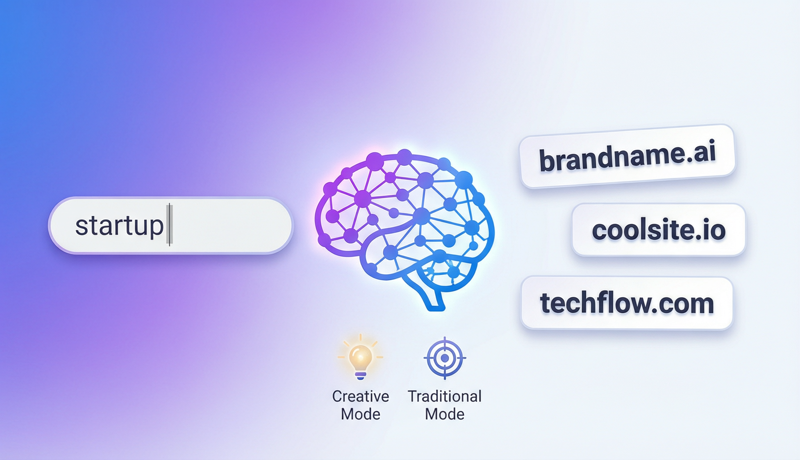
Key Takeaway: AI domain name generators use natural language processing and semantic association algorithms to expand a single keyword into dozens of registrable domain options within seconds. According to Verisign’s Q1 2026 data, over 362 million domains are already registered globally, with .com alone exceeding 162 million—making the odds of manually crafting a “short, memorable, meaningful, and available” domain extremely low. The core advantage of AI tools is their ability to explore naming combinations humans can’t exhaust, while instantly verifying registration status, compressing what traditionally takes hours into a 3-minute process.
Finding a great domain name might be one of the most frustrating steps in building a website. You think of a perfect name, excitedly check its availability—taken. You try another—also taken. After a dozen attempts, your confidence starts to fade.
The problem isn’t your creativity—it’s your method. With 362 million domains already claimed, the linear approach of “think of a name, then check availability” is doomed to be inefficient. The right approach is parallel exploration with AI tools—input one keyword, let algorithms generate and verify hundreds of variations simultaneously, and lock in your optimal choice within minutes.
This tutorial walks you through how to use two distinct modes of an AI domain name generator to quickly find your ideal domain and complete registration.
📊 Data Source: According to Verisign’s “The Domain Name Industry Brief” Q1 2026 report, global top-level domain registrations total 362.2 million, a 2.8% year-over-year increase. ICANN statistics show over 50 million domains expire annually, but only 3-5% of those carry meaningful SEO or brand value. For new website builders, AI naming tools represent the most efficient path to discovering “available high-quality domains.”
Why You Need an AI Domain Name Generator
An AI domain name generator is an online tool that uses natural language processing (NLP) and semantic association algorithms to automatically generate large batches of domain name candidates based on user-input keywords, business descriptions, or brand concepts, while instantly checking registration availability. Unlike traditional “keyword + suffix concatenation,” modern AI naming tools understand semantic relationships and generate creative names with brand appeal.
The problem with traditional naming approaches:
| Traditional Approach | AI Naming Tool |
|---|---|
| Think of names one by one | Generate dozens of candidates at once |
| Check availability after brainstorming | Generate and verify simultaneously, showing only available options |
| Limited by personal vocabulary | Draws from massive linguistic databases |
| Easy to get stuck in mental ruts | Cross-language, cross-domain associations |
| Averages 2-3 hours | Completed in 3 minutes |
📊 Key Data: According to GoDaddy’s 2025 Small Business Survey, 76% of entrepreneurs spend over 2 hours on domain naming, with 23% spending over a week. Users of AI naming tools average just 8 minutes from keyword input to confirmed domain purchase (Source: Namecheap, “Domain Registration Behavior Report”, 2025).
Two Modes of the NamesLink AI Naming Tool
The NamesLink Domain Name Generator offers two differentiated naming modes suited for different scenarios. Here’s a detailed breakdown of each mode’s logic, operation, and ideal use cases.
🎬 Video Demo: Prefer watching over reading? Check out this full tool walkthrough video:
Mode 1: Association Mode (Word Association)
The core logic of Association Mode is “start from a seed word and radiate outward.” You input a single English word (such as your brand keyword), and the system uses semantic association, synonym expansion, syllable variation, and creative concatenation algorithms to generate a series of related but distinctive domain options, instantly checking availability for each.
Best for:
- You have a core keyword, but it’s already registered
- Looking for alternatives that are “semantically similar but spelled differently”
- Want domains that maintain brand association while being unique
- English brands, tech companies, SaaS product naming
Steps:
- Open NamesLink Domain Name Generator
- Select “Association Mode”
- Enter a single English seed word (e.g.,
cloud,pixel,swift) - System automatically generates associated word lists with real-time registration status
- Click on interesting domains for details, then proceed directly to purchase
Example:
If you’re building an AI painting tool and input the seed word paint, Association Mode might generate:
- paintly.ai — brandable variant
- brusho.com — related concept association
- colorflow.io — semantic expansion
- pixelcraft.ai — cross-domain combination
Each result shows real-time availability across major extensions (.com, .ai, .io, etc.). No need to manually verify each one on separate lookup sites.
Mode 2: Traditional Mode (AI Purpose-Based)
Traditional Mode uses a “describe your purpose, AI recommends” approach. You tell the tool your website’s purpose, industry, or brand concept (supports Chinese input), and the AI understands the semantics to recommend highly relevant domain options.
Best for:
- You haven’t settled on specific keywords, just a general business direction
- Need Chinese-description-to-English-domain “translation-style” naming
- Startups, personal brands, e-commerce stores, content creators
- Not sure what words to use, want AI to recommend from scratch
Steps:
- Open NamesLink Domain Name Generator
- Select “Traditional Mode”
- Enter your business purpose in the description box (e.g., “pet food e-commerce,” “personal photography portfolio”)
- AI generates domain suggestions highly relevant to your business
- Browse results, select your favorite, and complete registration
Example:
Input description “an online collaborative whiteboard tool for designers” — Traditional Mode might recommend:
- boardmate.io — directly describes function
- canvasteam.com — industry + collaboration
- drawsync.ai — core action + feature
- whitespace.studio — abstract concept
Comparing the Two Modes
| Factor | Association Mode | Traditional Mode |
|---|---|---|
| Input | Single English keyword | Business description (supports Chinese) |
| Logic | Radiates outward from seed word | Extracts key concepts from purpose description |
| Best for | Have a keyword but it’s taken | Starting from zero, no clear direction |
| Result style | Variants closely related to seed word | Creative combinations around business context |
| Recommended order | Use Traditional first for direction → Association for refinement | — |
Best Practice: Use both modes in combination. Start with Traditional Mode to input your business description and get initial direction, pick your favorite keyword from those results, then switch to Association Mode to deeply expand on that word. This maximizes your coverage of quality naming space.
5 Golden Rules for Domain Naming
Regardless of which tool you use, quality domains should follow these principles:
Rule 1: Shorter is better
Domain length directly affects memorability and typo rates. According to Moz research, the top 1 million websites average 12 characters in domain length. Aim for 6-14 characters, ideally no more than 2 words.
Rule 2: Easy to spell, easy to pronounce
A good domain should be “accurately spellable after hearing it once.” Avoid confusing letter combinations (l/1/I, 0/O), uncommon abbreviations, and hyphens. Test method: tell a friend your domain over the phone and see if they can type it correctly on the first try.
Rule 3: Meaningful or brandable
The best domains either directly convey business meaning (like booking.com) or have unique brand appeal (like spotify.com). Random letter combinations may be short but lack memory anchors.
Rule 4: Avoid trademark conflicts
Before finalizing a domain, always search trademark databases in your target markets (USPTO for US, CNIPA for China). Domain-trademark conflicts may lead to UDRP arbitration or legal action.
Rule 5: Prefer .com, but don’t obsess
.com remains the most globally recognized extension, but .ai, .io, and .co have gained wide acceptance in tech. If your ideal name is taken on .com, .ai or .io are excellent alternatives—especially in technology and startup contexts.
Complete Workflow: From Naming to Going Live
Here’s the full path from AI naming tool to live website:
Step 1: Define your naming goals
Before opening any naming tool, answer these questions: Who is your website for? What core value does it convey? Is it international or localized? These answers directly influence your keyword choices.
Step 2: Generate candidates with AI tools
Open NamesLink Domain Name Generator and choose your mode:
- Have a clear keyword → Association Mode
- Only have a business direction → Traditional Mode
- Recommended: try both modes, select 3-5 favorites from the overlap
Step 3: Verify availability and compliance
Perform multi-dimensional verification on your candidates:
- Registration availability: Already auto-checked by the tool; confirm “available” status
- Trademark conflicts: Search USPTO/CNIPA databases to confirm no conflicts
- Social media consistency: Check if matching Twitter/Instagram handles are available
- History: Use Wayback Machine to check if the domain has a problematic past
Step 4: Register the domain
Complete registration through NamesLink for affordable pricing. Registration tips:
- Register for 2-3 years at once (avoid forgetting to renew)
- Enable WHOIS privacy protection
- For brand domains, consider registering key variant extensions (.com + .ai + .io)
Step 5: Complete DNS pointing
After registration, configure DNS settings to point your domain to your server or website platform. For detailed instructions, refer to our Complete Domain Pointing Guide.
Advanced Tips for AI Naming Tools
Tip 1: Use combination strategies to expand search space
Don’t just input one word. Try these input strategies:
- Core word + industry word: e.g.,
cloud+finance→ CloudFin, FinCloud - Action word + object word: e.g.,
build+site→ SiteCraft, BuildHub - Adjective + noun: e.g.,
swift+code→ SwiftDev, CodeFlash
Tip 2: Leverage new extensions to open naming space
When .com is taken, consider these quality extensions:
| Extension | Best For | Recognition | Example |
|---|---|---|---|
| .ai | Artificial intelligence, tech | ⭐⭐⭐⭐ | perplexity.ai |
| .io | SaaS, developer tools | ⭐⭐⭐⭐ | github.io |
| .co | Startups, brands | ⭐⭐⭐ | angel.co |
| .app | Mobile applications | ⭐⭐⭐ | cash.app |
| .dev | Developers, technology | ⭐⭐⭐ | web.dev |
Tip 3: Use the voice test to filter final candidates
After selecting 5-8 candidates from AI-generated results, read each domain aloud 3 times. Those that flow naturally without needing to spell out individual letters are your winners. This simple test eliminates options that “look good on screen but sound awkward.”
Tip 4: Check domain value potential
If you’re interested in brand value and investment potential, use the NamesLink Domain Appraisal Tool to evaluate candidates across 22 dimensions including length score, keyword value, extension weight, and brand recognizability—helping you choose the optimal option from an investment perspective.
Naming Strategies for Different Website Types
Personal Blog / Portfolio
- Recommended pattern: “name + field”: e.g.,
alexdesign.io,linacode.dev - Short, tied to personal brand
- Extensions: .me, .io, .dev
SaaS / Tech Products
- Use Association Mode with core feature words
- Aim for brand feel and uniqueness: e.g.,
notion.so,linear.app - Extensions: .ai, .io, .app, .dev
E-commerce / Brand Websites
- Use Traditional Mode, describe your product category
- Short and powerful for word-of-mouth: e.g.,
shein.com,temu.com - Extensions: .com (preferred), .co, .shop
Localized Service Websites
- Consider country-code extensions: .cn, .hk, .jp, .sg
- Or descriptive domains: e.g.,
beijingtutor.com - Extensions: ccTLD (country-code) first
FAQ
Q1: Who owns the copyright to AI-generated domain names?
Domains don’t have copyright ownership—they follow “first come, first served.” AI-generated domain suggestions don’t constitute copyrightable works. Domain registration follows ICANN’s “First Come, First Served” principle—whoever completes registration first holds usage rights. However, avoid registering domains identical or similar to well-known trademarks.
Q2: Which mode is better—Association or Traditional?
Neither is universally superior; it depends on your starting point. If you have a clear keyword and want variations, Association Mode is more efficient. If you’re starting from zero with only a business description, Traditional Mode fits better. Best practice: Traditional Mode first for direction, then Association Mode for deep expansion.
Q3: A generated domain shows as available, but registration says it’s taken?
This may be due to DNS cache delay or recent status changes. Domain registration status changes in real-time—between your query and actual registration, someone else might register it first. When you find a domain you love, complete registration quickly without hesitation.
Q4: What pitfalls should I avoid in domain naming?
Mainly avoid four issues: 1) Names identical/similar to famous trademarks (risk of arbitration); 2) Using hyphens or numbers (reduces brand appeal); 3) Choosing overly obscure extensions (users may not trust them); 4) Domains longer than 15 characters (hard to remember and type).
Q5: My ideal .com is taken—is it worth paying a premium to buy it?
Depends on your budget and brand strategy. For long-term brand building with sufficient budget, purchasing the ideal .com may be worthwhile. But for most entrepreneurs and personal projects, alternative extensions like .ai or .io are more cost-effective. To check current market prices for your desired domain, search NamesLink Domain Marketplace.
Q6: Is the naming tool free?
The NamesLink domain naming tool is completely free to use, no registration required. You can use both modes unlimited times to generate domain suggestions. Payment is only required when you decide to register a specific domain.
Conclusion
AI domain name generators have fundamentally transformed the website naming experience—from “brainstorming and hoping for luck” to “input keywords and precisely filter.” NamesLink’s two naming modes cover virtually every naming scenario: Association Mode for users with clear keywords who need deep expansion, and Traditional Mode for users starting from scratch who need business-context-based inspiration.
Remember the core naming principles: short, memorable, meaningful, conflict-free. Leverage the parallel exploration power of AI tools, and you can find that “available and satisfying” ideal domain within 3 minutes, then quickly move to the next step of building your website.
References:
- Verisign, “The Domain Name Industry Brief Q1 2026” — https://www.verisign.com/en_US/domain-names/dnib/index.xhtml
- ICANN, “Domain Name Registration Data” — https://www.icann.org/resources
- GoDaddy, “Small Business Naming Survey 2025”
- Namecheap, “Domain Registration Behavior Report 2025”
- Moz, “Domain Authority and URL Length Study” — https://moz.com/learn/seo